01
A complete FT8 / FT4 station
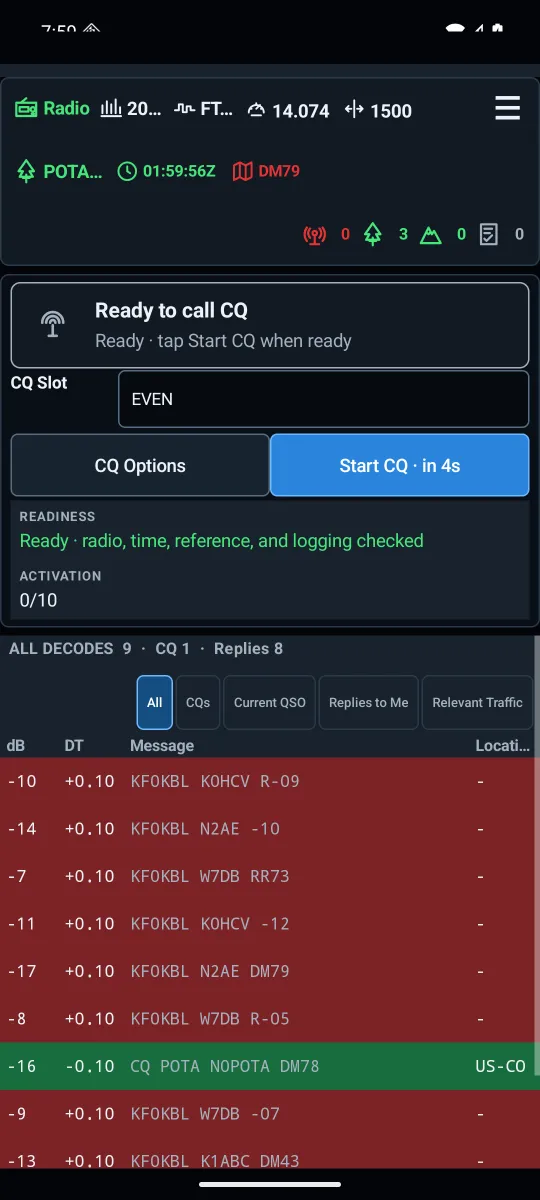
Decode and transmit, follow the waterfall, choose a clear TX offset, and work a station with a tap. CQFTx manages the exchange and records the completed contact.
FT8 + FT4. OUT IN THE WORLD.
Your Android. Your radio.
A complete digital station.
Decode, call CQ, work the exchange, and log the contact. CQFTx brings portable FT8 and FT4 together—without a laptop.
v0.4.139-rc · Prerelease · Android 8+
01 / THE OPERATING EXPERIENCE
From the first decode to the last contact,
the essentials are already in your station.
Decode and transmit, follow the waterfall, choose a clear TX offset, and work a station with a tap. CQFTx manages the exchange and records the completed contact.
Call CQ and let the app select a valid responder. Slot timing, retries, reply selection, and QSO recovery stay together in one operating workflow.
Explore station maps, PSK Reporter evidence, and NOAA space weather. Add gray-line context, a terrain horizon, and experimental path outlooks.
Search and edit contacts, import ADIF with a preview and duplicate checks, and export activity logs. Optional QRZ Logbook uploads are verified by read-back.
A field-readiness check brings radio, audio, time, location, and logging together. Radio and audio-route checks stop transmission when a connection fails.
Synchronize time, inspect power and SWR on capable radios, use supported Tune workflows, look up stations with QRZ, and export diagnostics when you need help.
02 / TAKE IT OUTSIDE
Parks, summits, trails, and the places between. Choose an activation reference, follow your progress, and keep every contact tied to the activity.
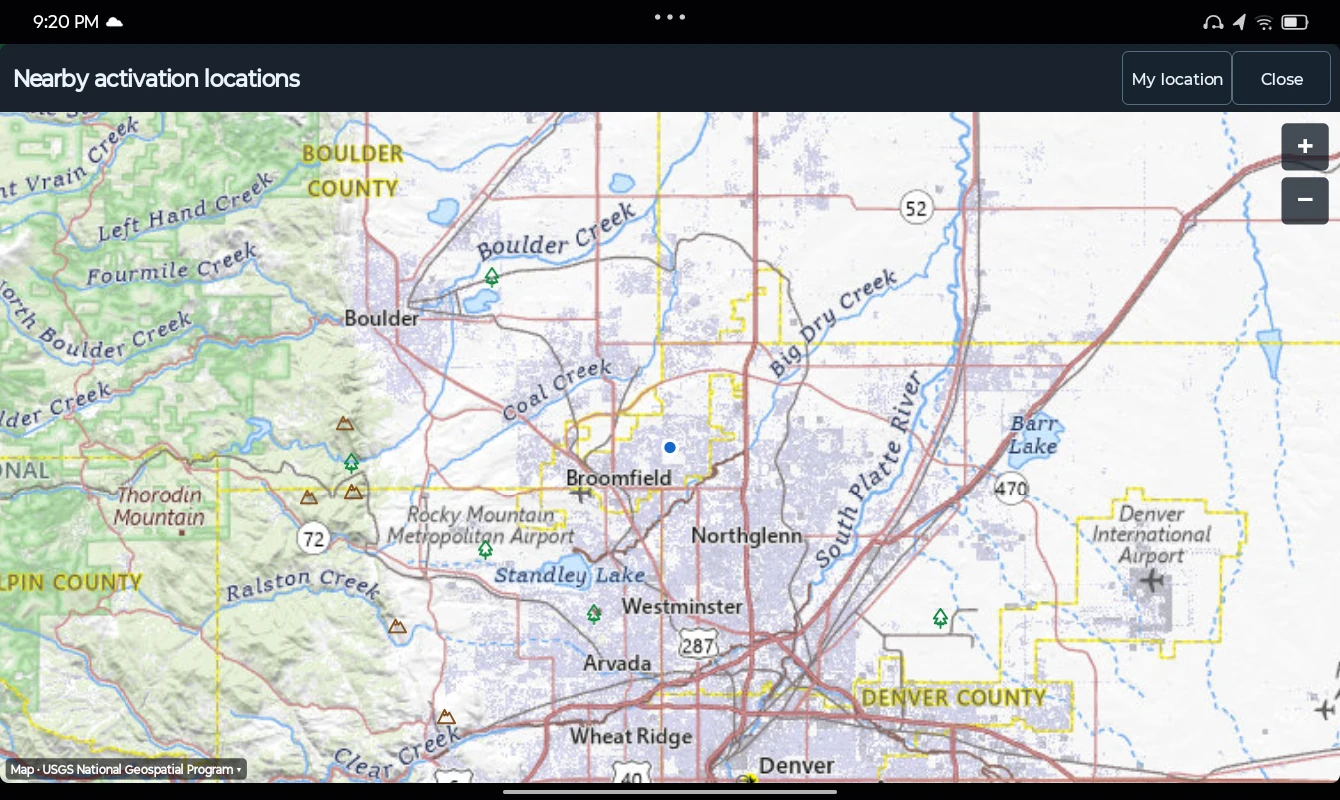
Program-specific references, progress, and exports.
03 / INSIDE CQFTx
Actual captures from CQFTx on an Android tablet.
Select any screenshot to see the details.
Explore nearby parks and summits on a map of cached activation locations.
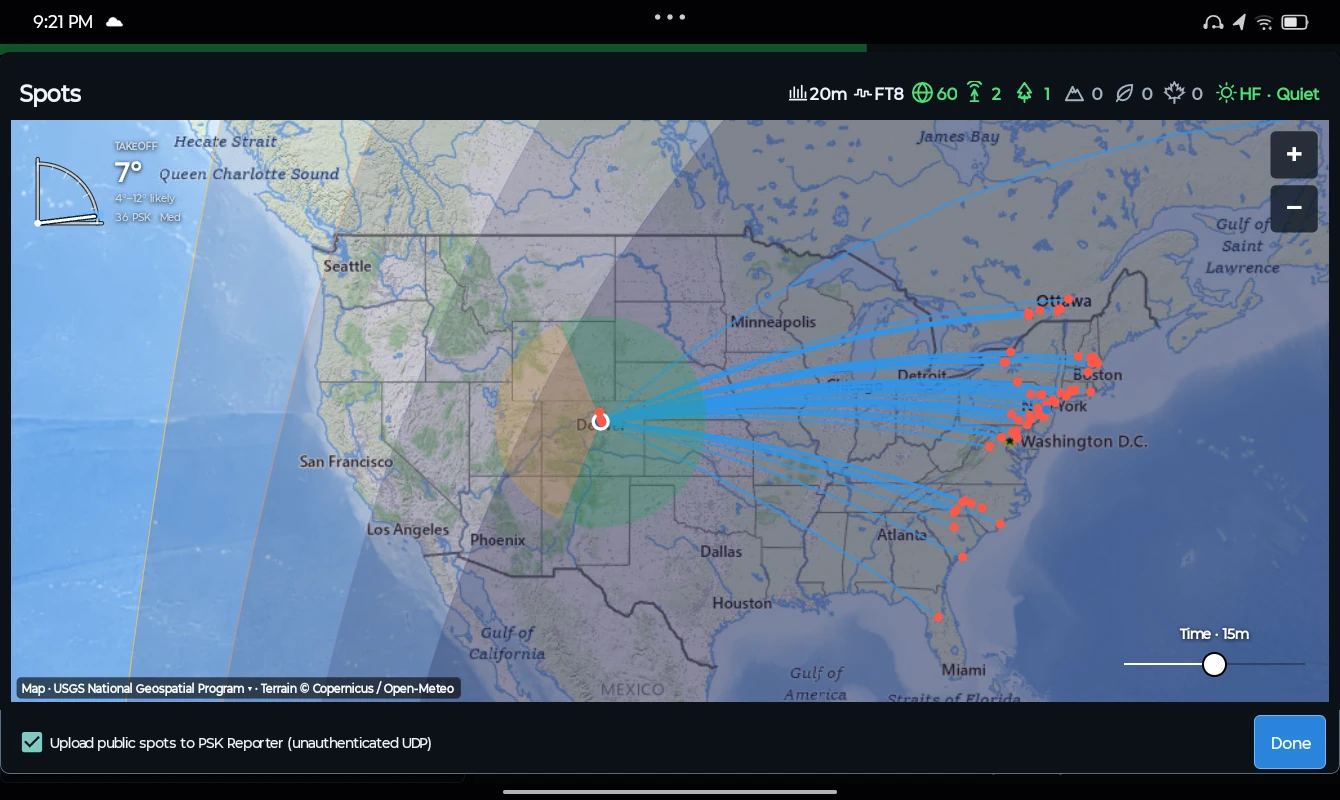
Follow reception reports on the Spots map, with paths, day and night shading, and local terrain context.
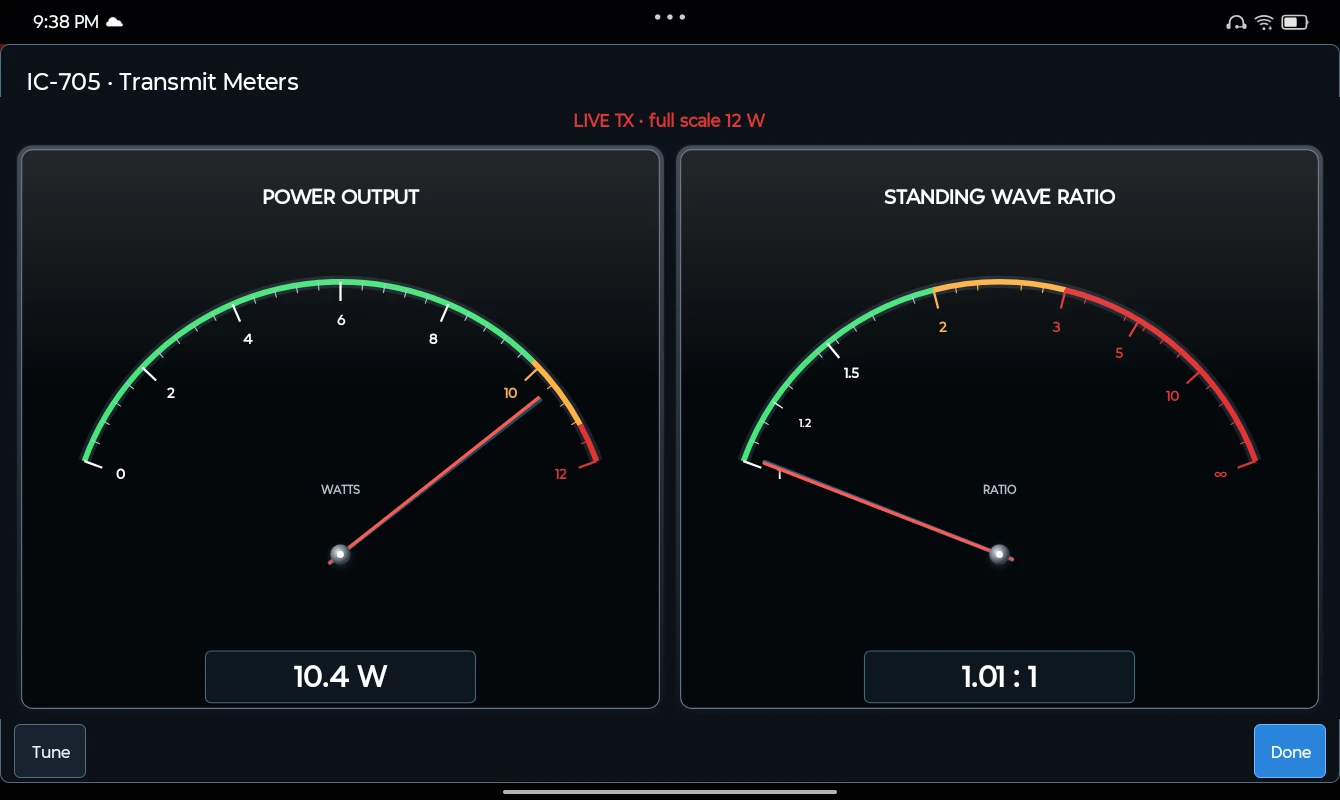
Live power and SWR meters on supported radios. This IC-705 capture shows 10.4 W and 1.01:1 SWR.
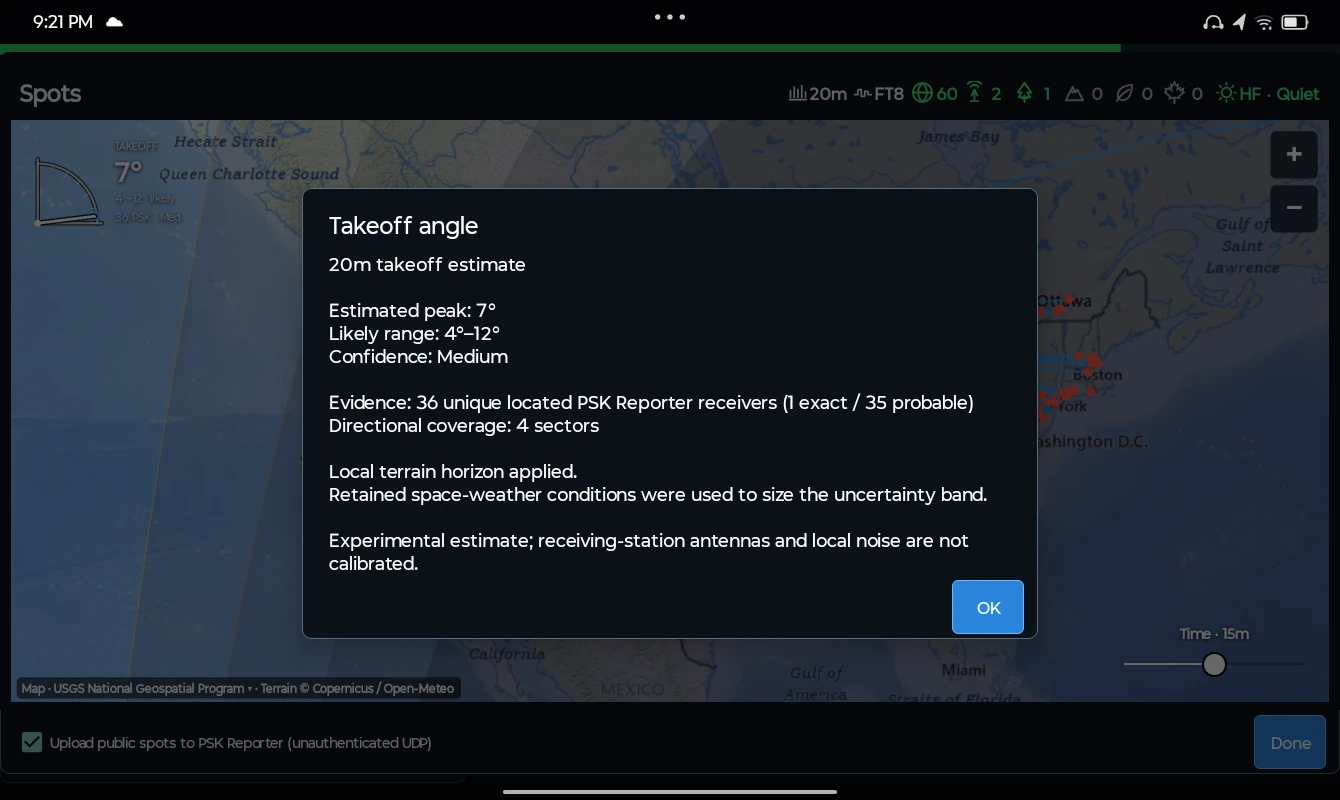
See an experimental takeoff estimate with a likely range, confidence, and the receiver evidence behind it.
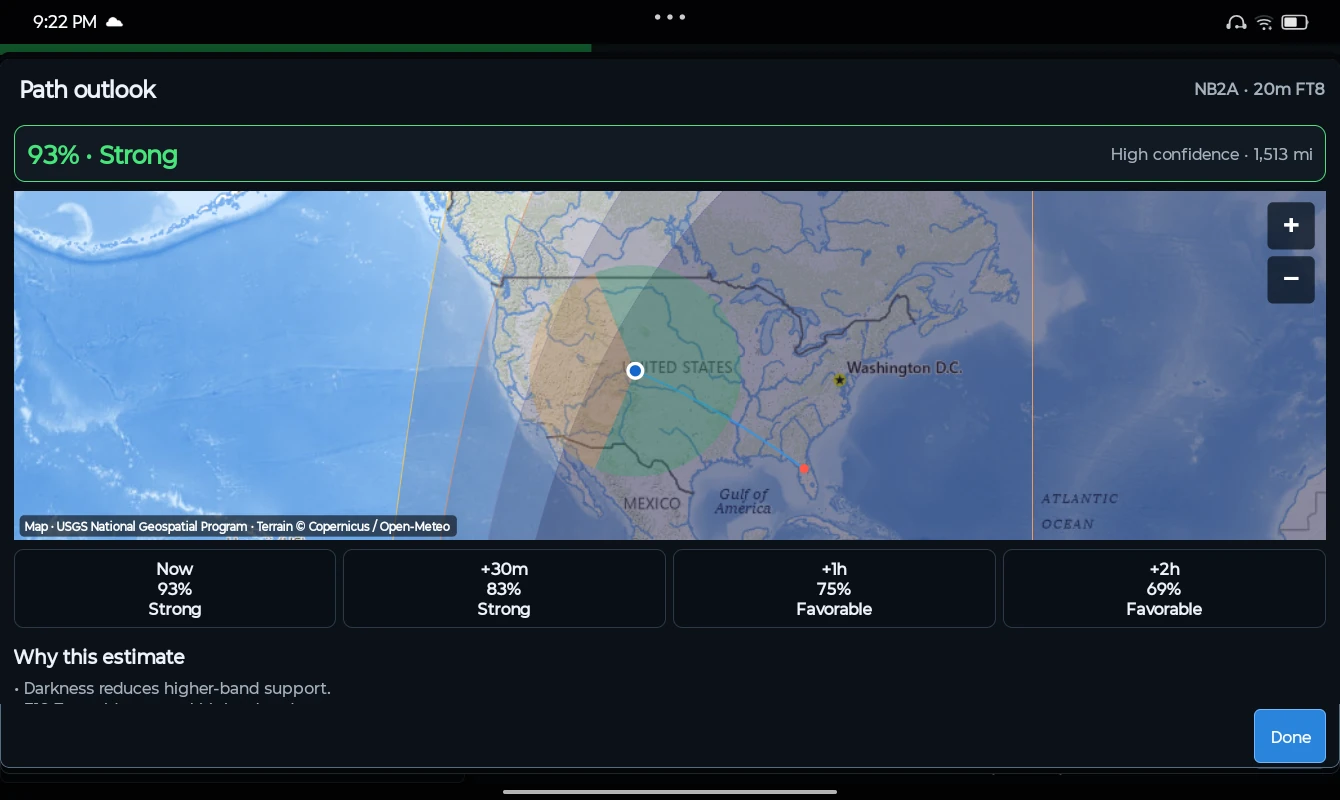
Compare experimental path opportunities now, in 30 minutes, and one or two hours ahead.
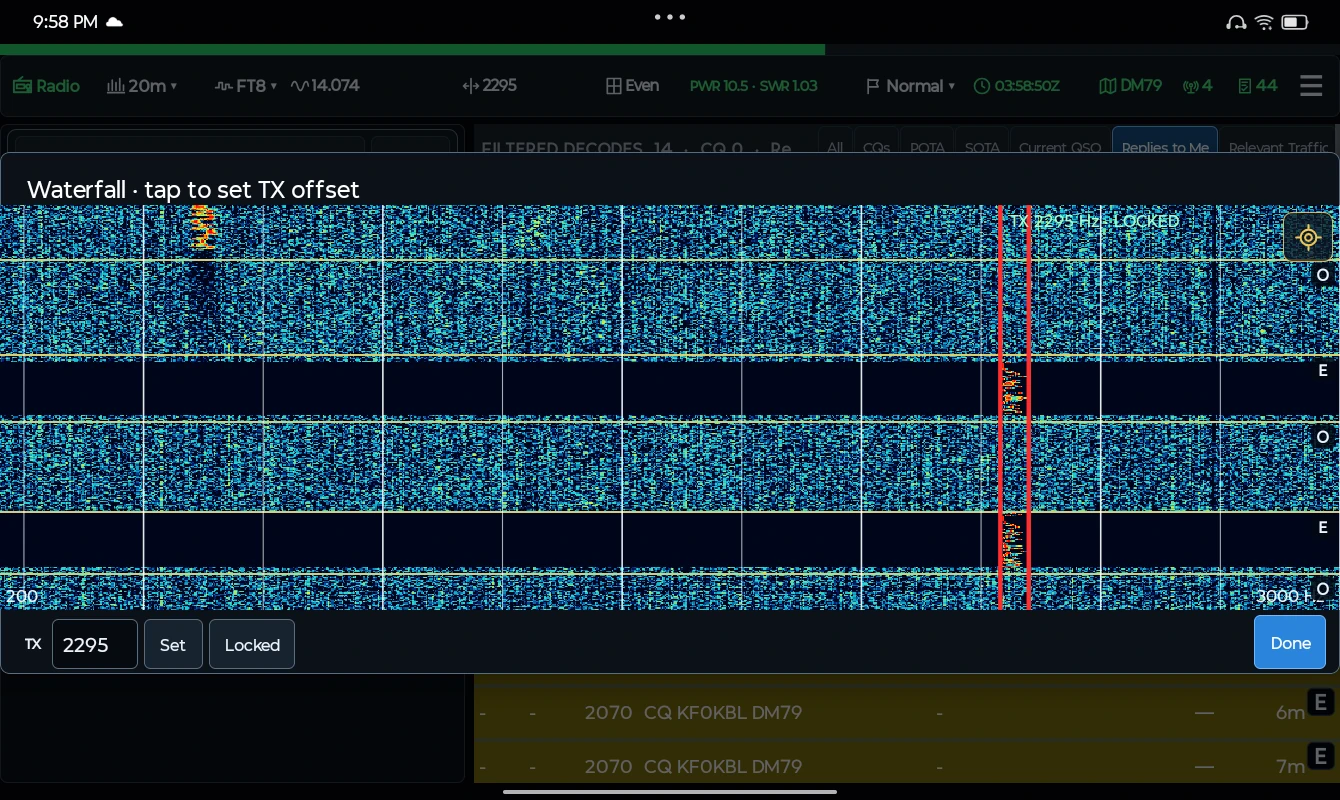
See signals and transmit intervals in the waterfall, with your selected audio offset clearly marked.
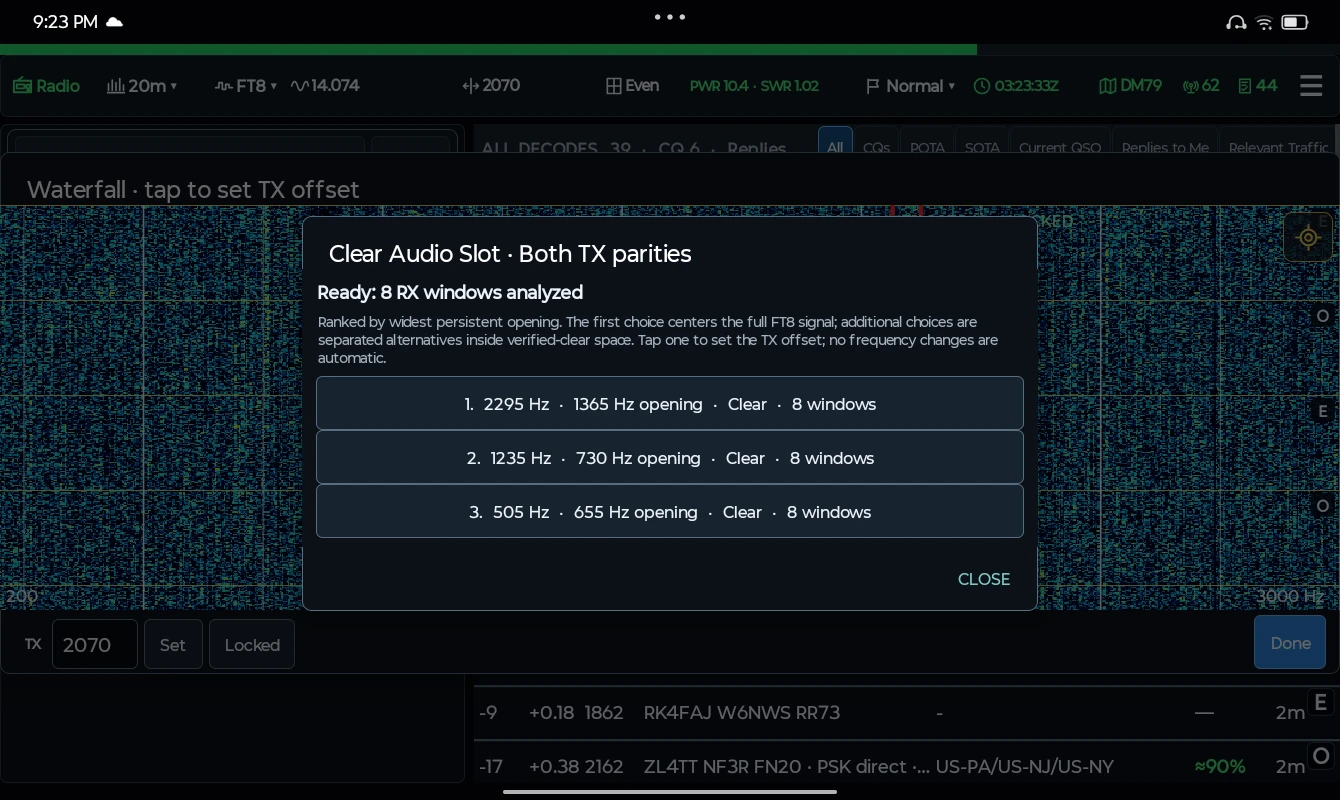
Let the offset finder analyze receive windows and rank persistent openings. Choose a suggestion to set your TX offset.
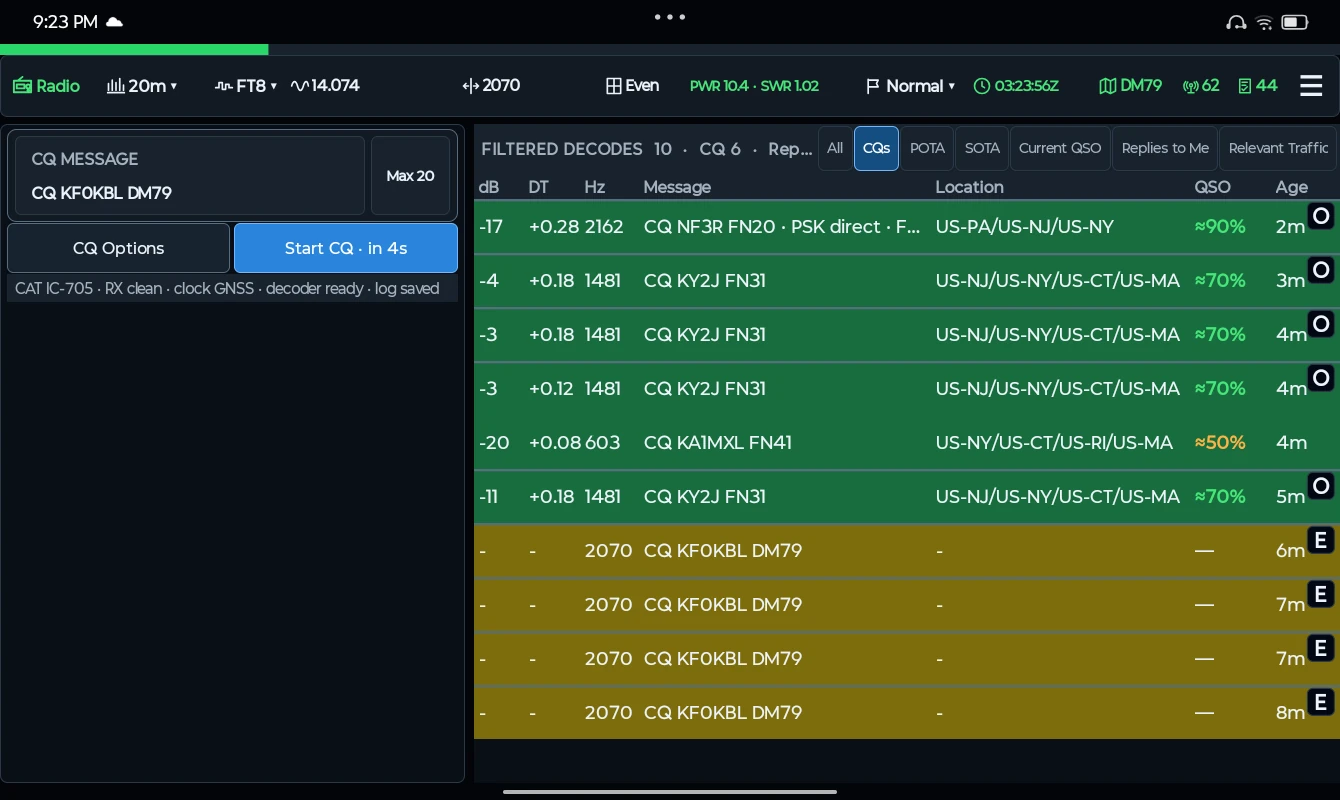
Filter the decode view to CQ traffic and compare approximate contact opportunities beside each station.
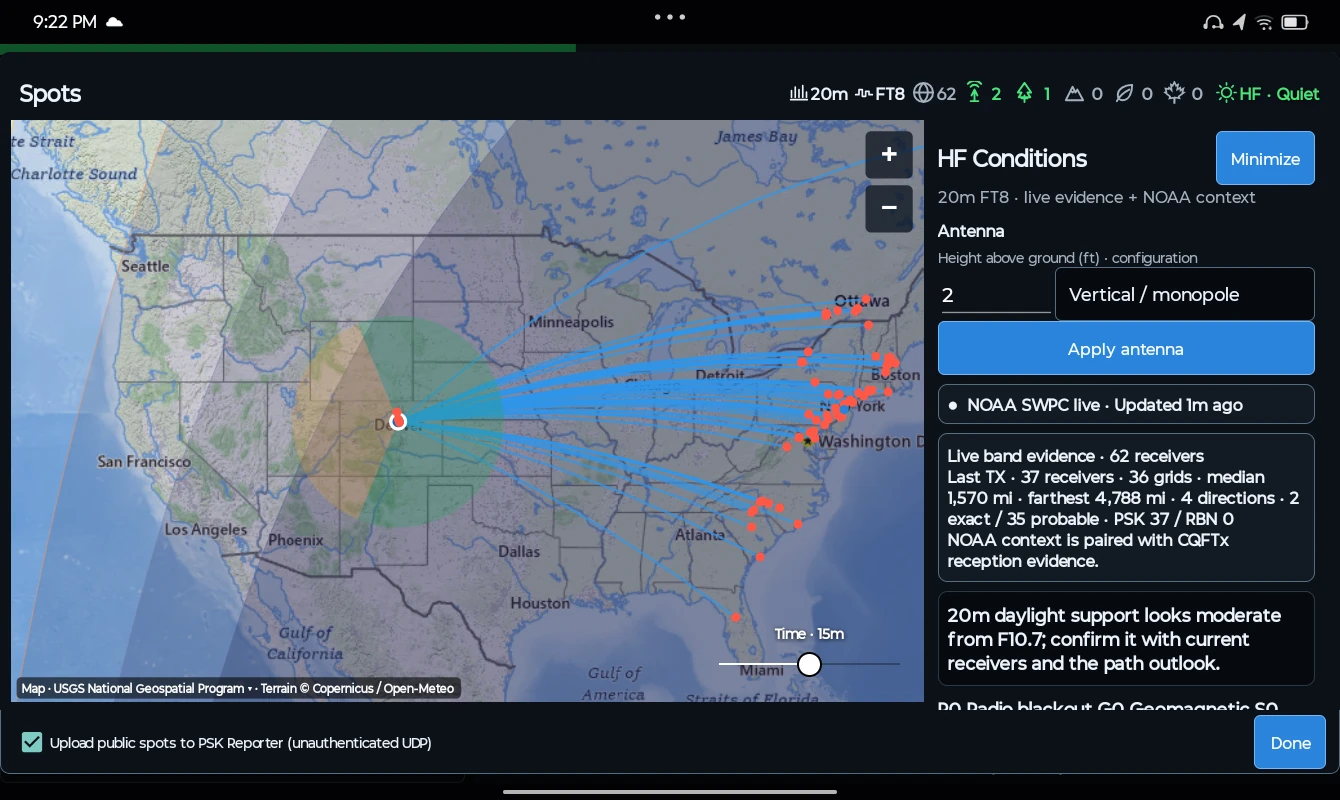
Bring NOAA conditions, antenna settings, terrain context, and live receiver evidence together beside the map.
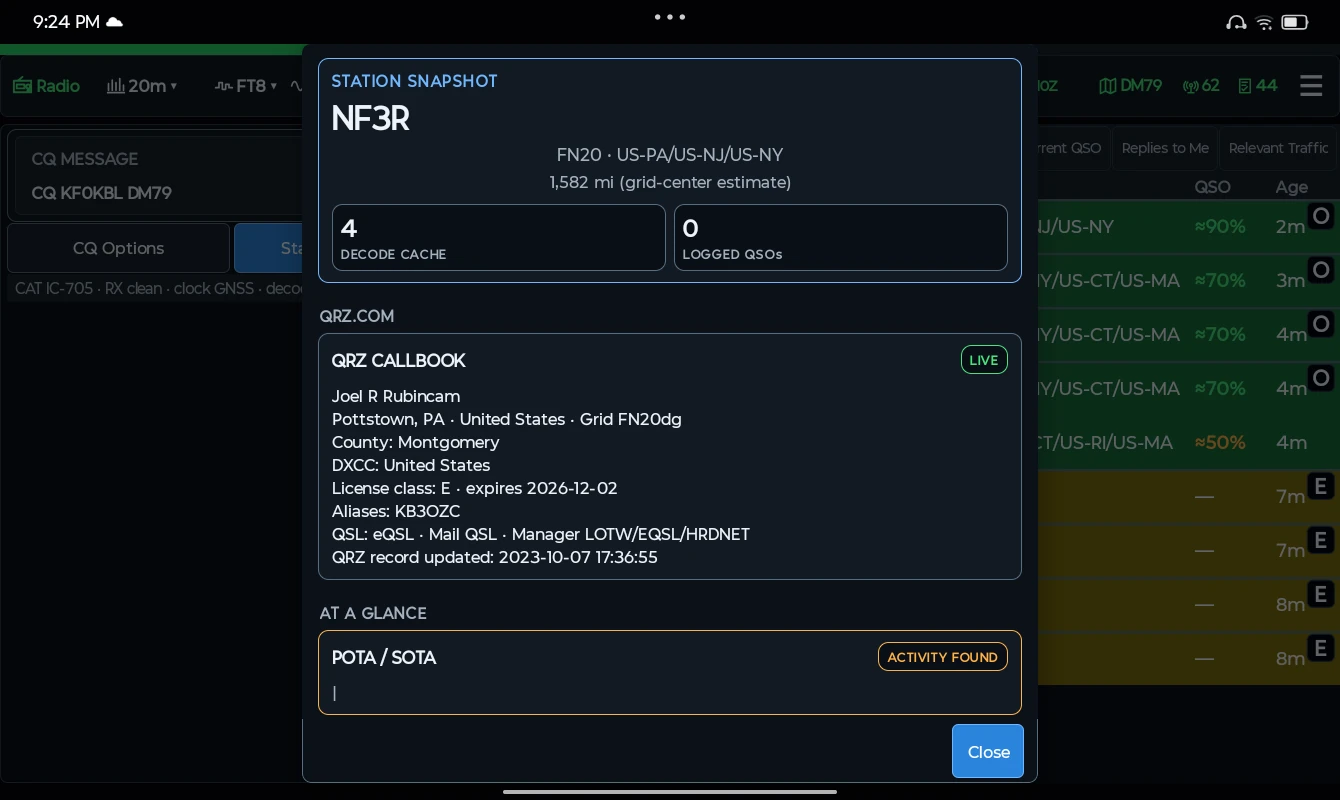
Open a station snapshot for location, decode history, logged contacts, and QRZ Callbook details when configured.
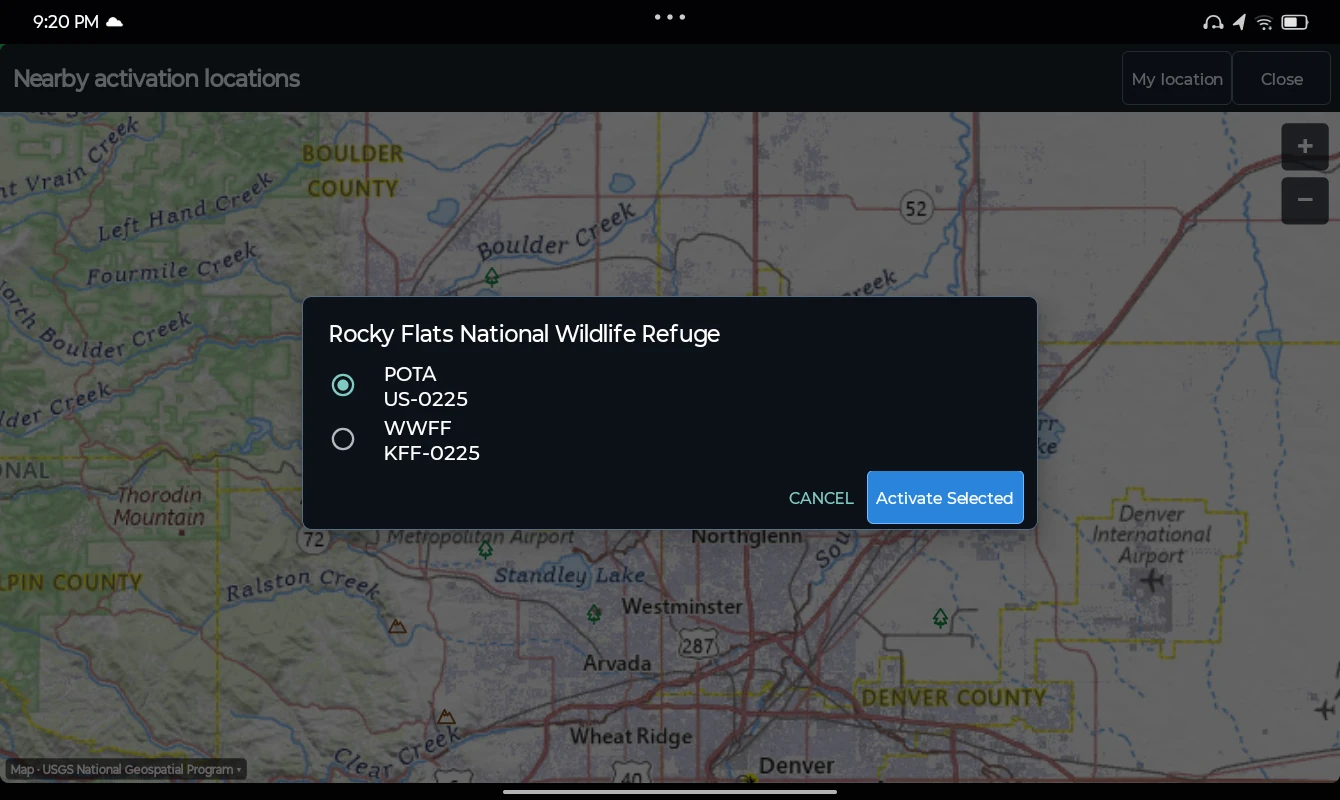
Review POTA and WWFF references for the same activation location.
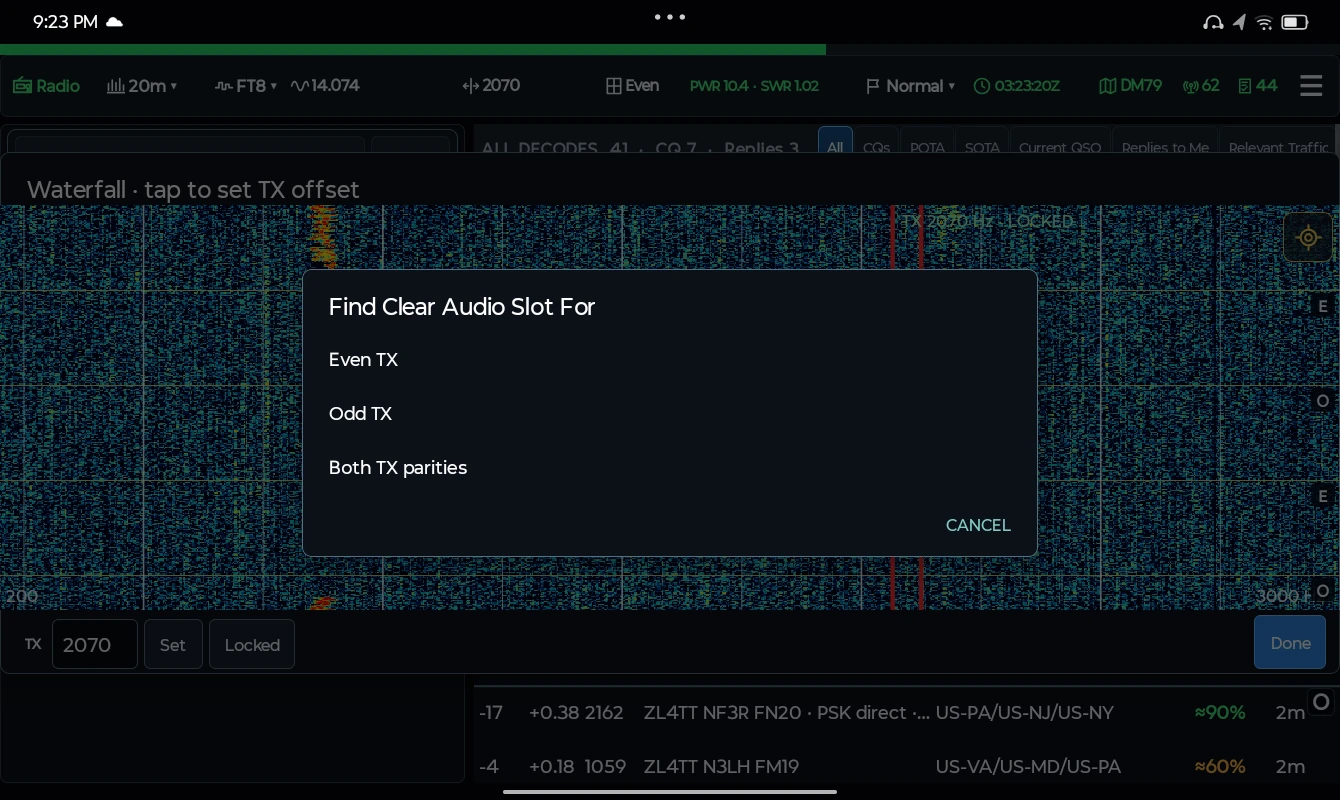
Search even transmit slots, odd slots, or both parities from the waterfall.
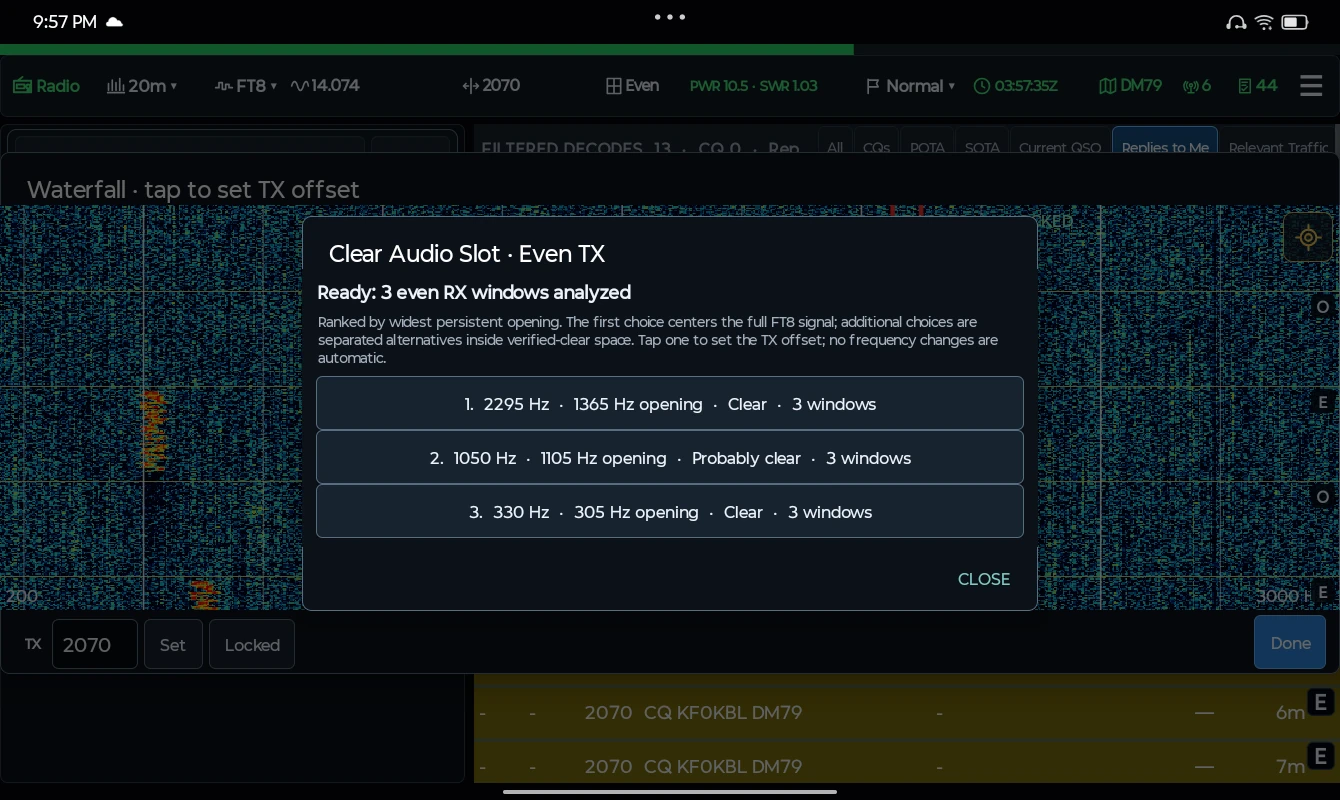
Review the suggested offset, opening width, and receive-window evidence before choosing a slot.
04 / ANDROID DEVICES
CQFTx requires Android 8 or newer.
This list records devices tested with the app.
| Device | Model | Status | Qualification |
|---|---|---|---|
| Tab OneLenovo | TB305FU | Field-tested | CQFTx operation and decoder qualification completed on the tested tablet. |
A field-tested entry records a known working configuration, not a guarantee for every firmware, accessory, or Android build. Read the decoder qualification note ↗
05 / THE RADIO CONNECTION
Built-in USB audio or an external interface.
Know what your radio supports before you pack.
| Radio | TX control | Auto RX level | Radio TX level | RX health | Power / SWR | ALC | SWR polling |
|---|---|---|---|---|---|---|---|
| QMXQRP LABS | ✓ | ✓ | — | ✓ | ✓ | — | ✓ |
| QDXQRP LABS | ✓ | ✓ | — | — | — | — | — |
| IC-705ICOM | ✓ | ✓ | ✓ | — | ✓ | ✓ | ✓ |
| IC-7300ICOM | ✓ | ✓ | ✓ | — | ✓ | ✓ | ✓ |
| IC-7300MK2ICOM | ✓ | ✓ | ✓ | — | ✓ | ✓ | ✓ |
| IC-718ICOM | EXT | — | — | ✓ | — | — | — |
| IC-706MKIIGICOM | EXT | — | — | — | — | — | — |
| IC-7100ICOM | ✓ | ✓ | ✓ | — | ✓ | ✓ | ✓ |
| IC-7610ICOM | ✓ | ✓ | ✓ | — | ✓ | ✓ | ✓ |
| IC-9700ICOM | ✓ | ✓ | ✓ | — | ✓ | ✓ | ✓ |
| IC-905ICOM | ✓ | ✓ | ✓ | — | ✓ | ✓ | ✓ |
| Xiegu G90XIEGU | ✓ | — | — | ✓ | ✓ | ✓ | — |
No matching radio. Try a model such as QMX, IC-705, or G90.
Built-in USB audio and CAT. Band discovery and receiver-health checks are available.
Built-in USB audio and CAT. Band variant is inferred where possible; no power or SWR telemetry.
Built-in USB audio and CI-V control.
Built-in USB audio and CI-V control.
Native B6h identification or 94h compatibility configuration.
Requires exact CI-V 19 00 5E identity at 19200 baud, external USB audio, and validated CP210x RTS PTT.
External USB audio and validated CP210x RTS PTT required. S-meter only; no power, SWR, or ALC telemetry.
Controller implemented; awaiting field validation.
MAIN receiver only. Controller implemented; awaiting field validation.
MAIN receiver only. Controller implemented; awaiting field validation.
2 m through 3 cm; 10 GHz requires CX-10G. Controller implemented; awaiting field validation.
DigiRig audio and CAT. Main-unit firmware 1.80 or newer; manual audio levels.
Capabilities describe the controller, not a guarantee that every hardware, firmware, band, or accessory combination has been field-tested. Read the current operator guide before connecting. Tune support is separate from the capabilities above.
For setup, firmware requirements, and operating limits, read the operator guide ↗
06 / YOUR NEXT CONTACT STARTS HERE
Get the latest published build, install it on your Android device, and connect your supported radio.
Download v0.4.139-rc ↓Prerelease build · Android 8 or newer
FROM DOWNLOAD TO FIRST DECODE
Open the downloaded file. If Android asks, allow installation from the browser or file manager you used.
Use a USB host / OTG connection and the audio and CAT interface your radio requires.
Set your callsign and grid, check time and audio, then select FT8 or FT4 and your band.
BUILT BY A HAM. OPEN TO YOUR FEEDBACK.
Questions, radio feedback, or a field report? Include your app version,
radio model, and what happened.